第8章: 設計書エクスポート
CA Policy Analyzer ユーザーマニュアル
設計書エクスポートとは PRO
登録済みのポリシーと分析結果を、監査提出用のドキュメントとしてエクスポートする機能です。
Excel(8 シート構成)と PDF(A4)の 2 形式に対応しています。セキュリティ監査や経営報告など、さまざまな場面で活用できる包括的な設計ドキュメントを自動生成します。
エクスポートの前提条件
エクスポートを実行するには、以下の準備が必要です:
- ポリシーが 1 件以上読み込まれていること
- 分析設定(左サイドバー)で以下のメタデータを入力:
- 組織名 / テナント名(必須)
- テナント ID(推奨)
- ドキュメントバージョン(デフォルト: 1.0)
- 作成者(必須)
- ギャップ分析が未実行の場合、エクスポート時に自動で実行されます
Excel エクスポート(8 シート構成)
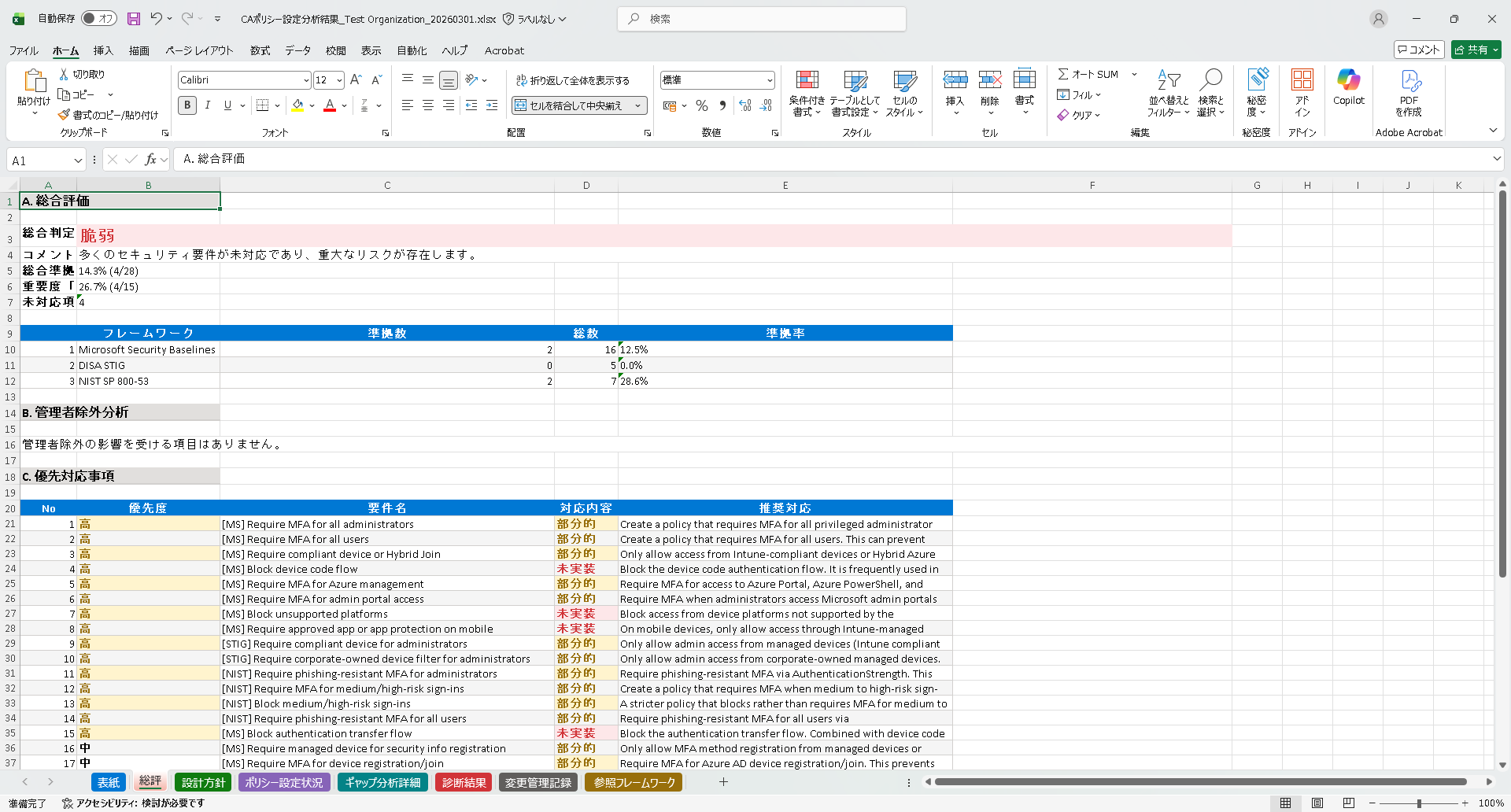
Excel エクスポートは以下の 8 シートで構成されています:
| シート番号 | シート名 | 内容 |
|---|---|---|
| 1 | 表紙 | 組織名、バージョン、作成者、日付 |
| 2 | 総合評価 | エグゼクティブサマリー、準拠率、総合判定 |
| 3 | 設計方針 | セキュリティ戦略、前提条件、スコープ |
| 4 | ポリシー設計 | 全ポリシーの設定一覧表 |
| 5 | セキュリティ準拠・ギャップ分析 | フレームワーク別の準拠マトリクス、ギャップ詳細 |
| 6 | 診断結果 | ポリシー競合、ロックアウトリスク、レガシー認証警告 |
| 7 | 変更管理記録 | 全変更の監査ログ |
| 8 | 参照フレームワーク | NIST / Microsoft / STIG への参照リンク |
Excel ファイルは書式付きテーブル、交互行の色分け、重要度別の色分けが含まれます。ポリシー設計シートは横向き印刷に最適化されています。
PDF エクスポート
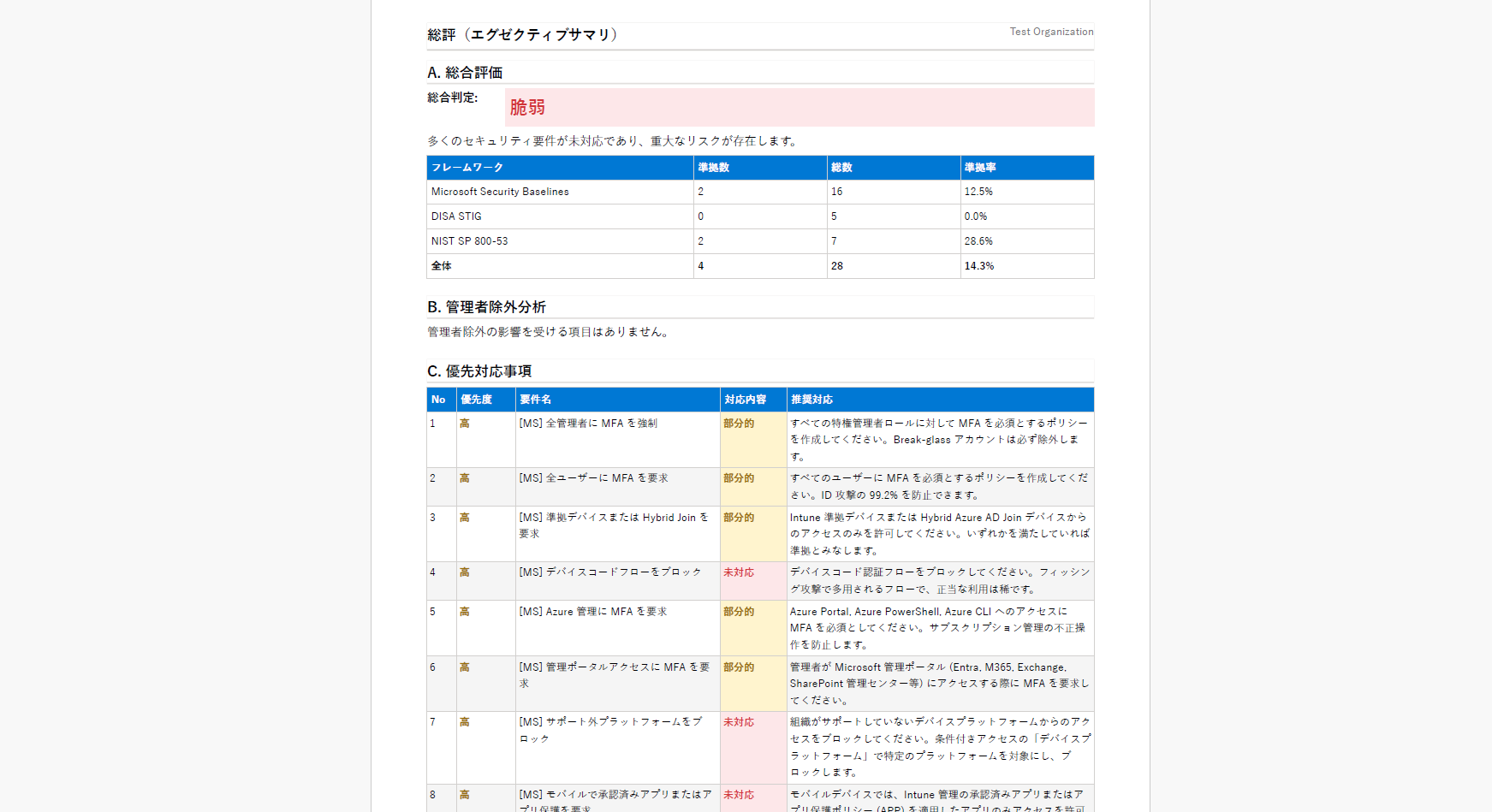
Excel と同じ 8 セクション構成で A4 サイズの PDF を生成します。
印刷・共有に最適化されたレイアウトです。表やステータスの色分けはそのまま反映されます。経営層への報告や外部監査人への提出など、フォーマルな用途に適しています。
設計書メタデータの設定
左サイドバーの「分析設定」を展開すると、「エクスポートメタデータ」セクションがあります。ここで以下を設定できます:
- 組織名 / テナント名: エクスポートの表紙に表示される組織名
- テナント ID: Microsoft Entra テナントの ID
- ドキュメントバージョン: 設計書のバージョン番号
- 作成者: 設計書の作成者名
組織名と作成者は必須です。未入力の場合、エクスポートを開始できません。
Chapter 8: Design Document Export
CA Policy Analyzer User Manual
What is Design Document Export? PRO
This feature exports your registered policies and analysis results as audit-ready documentation.
Two formats are supported: Excel (8-sheet workbook) and PDF (A4). It automatically generates comprehensive design documents that can be used for security audits, executive reporting, and various other purposes.
Export Prerequisites
The following preparations are required before exporting:
- At least one policy must be loaded
- Enter the following metadata in Analysis Settings (left sidebar):
- Organization Name / Tenant Name (required)
- Tenant ID (recommended)
- Document Version (default: 1.0)
- Author (required)
- If Gap Analysis has not been run, it will be executed automatically during export
Excel Export (8-Sheet Workbook)
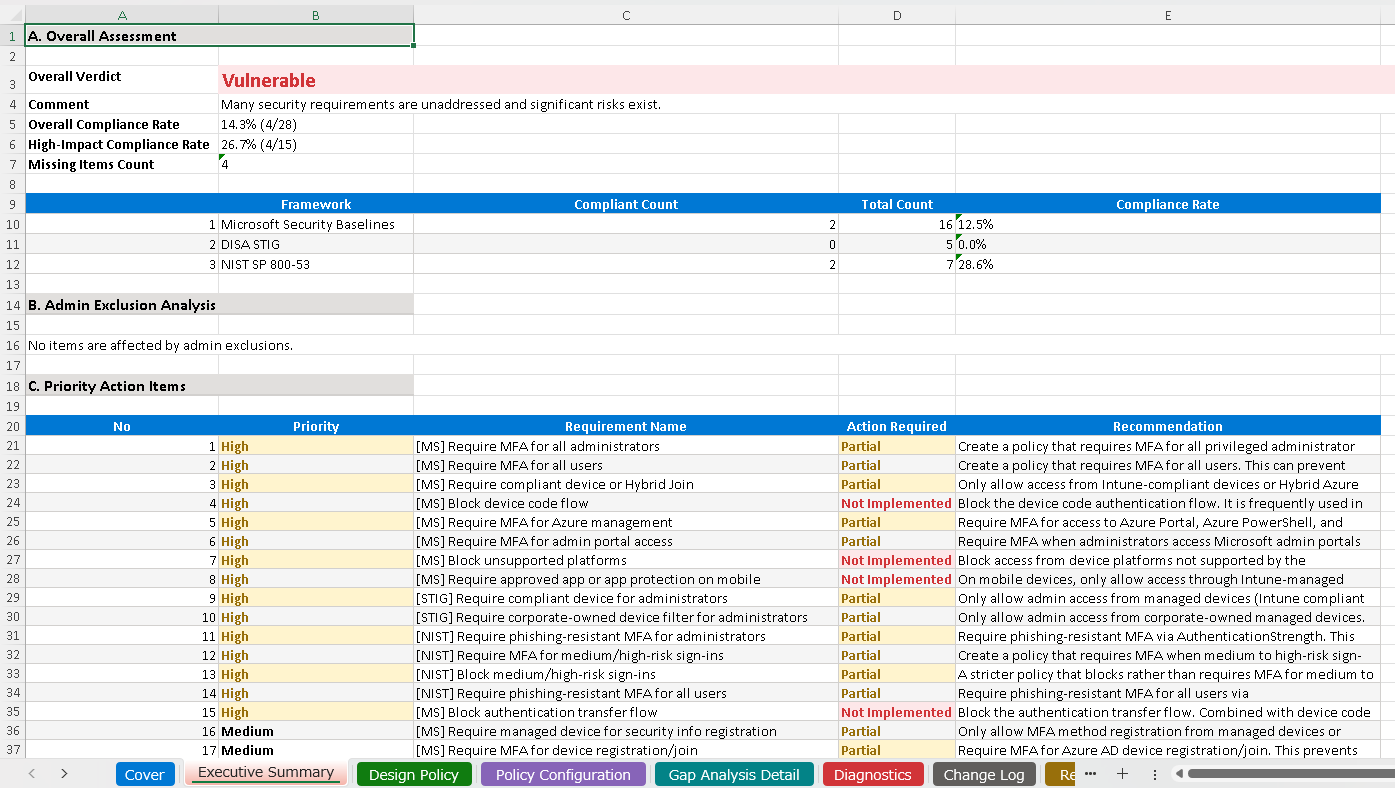
The Excel export consists of the following 8 sheets:
| Sheet # | Sheet Name | Contents |
|---|---|---|
| 1 | Cover Page | Organization name, version, author, date |
| 2 | Overall Assessment | Executive summary, compliance rate, overall verdict |
| 3 | Design Principles | Security strategy, assumptions, scope |
| 4 | Policy Design | Configuration table for all policies |
| 5 | Security Compliance & Gap Analysis | Framework-specific compliance matrix, gap details |
| 6 | Diagnostic Results | Policy conflicts, lockout risks, legacy authentication warnings |
| 7 | Change Management Record | Audit log of all changes |
| 8 | Reference Frameworks | Reference links to NIST / Microsoft / STIG |
The Excel file includes formatted tables, alternating row colors, and severity-based color coding. The Policy Design sheet is optimized for landscape printing.
PDF Export
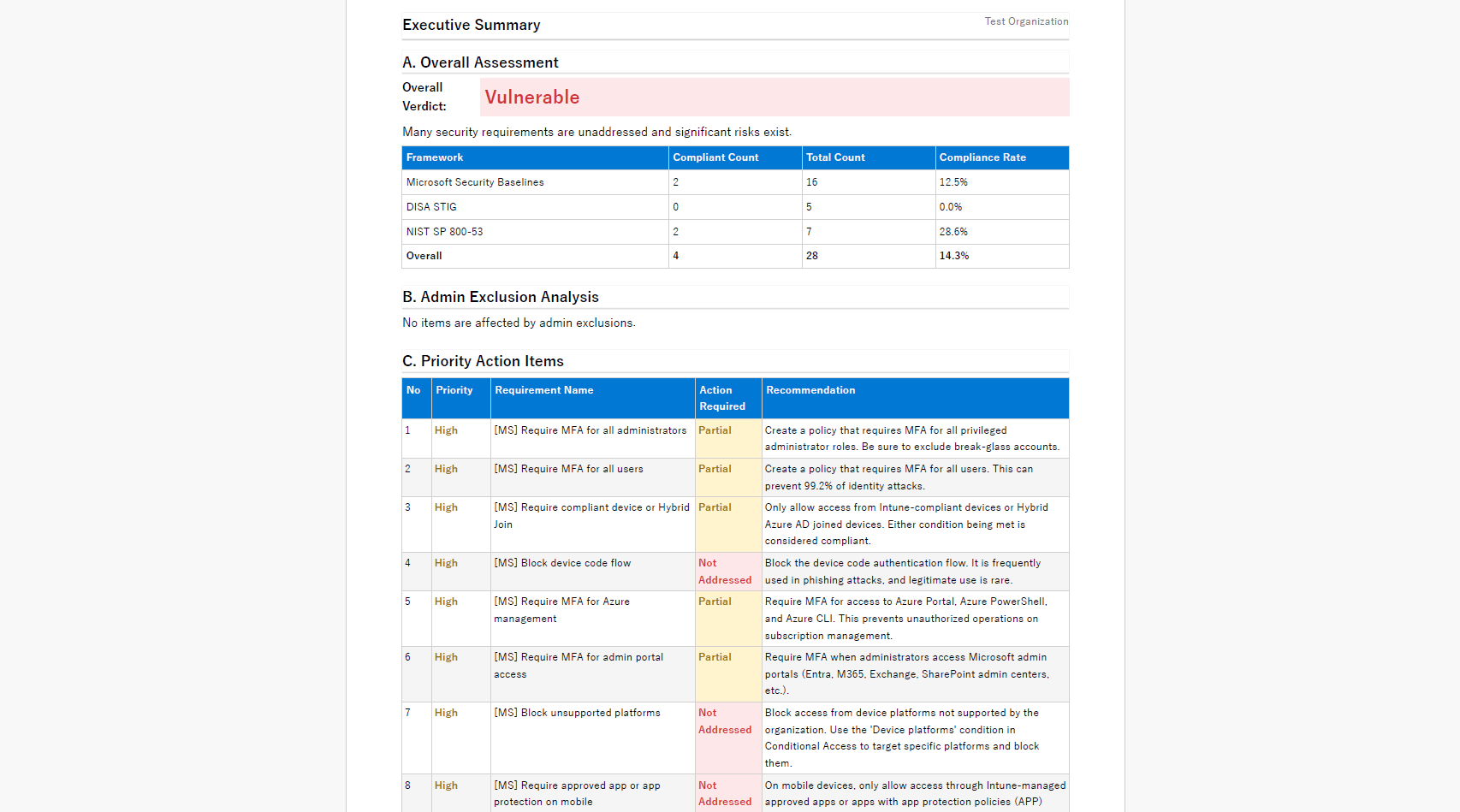
Generates an A4-sized PDF with the same 8-section structure as the Excel export.
The layout is optimized for printing and sharing. Table formatting and status color coding are preserved. It is ideal for formal purposes such as executive reporting and submission to external auditors.
Design Document Metadata Settings
Expand "Analysis Settings" in the left sidebar to find the "Export Metadata" section. Here you can configure:
- Organization Name / Tenant Name: Organization name displayed on the export cover page
- Tenant ID: Microsoft Entra tenant ID
- Document Version: Version number of the design document
- Author: Name of the document author
Organization Name and Author are required fields. Export cannot begin if these are left empty.